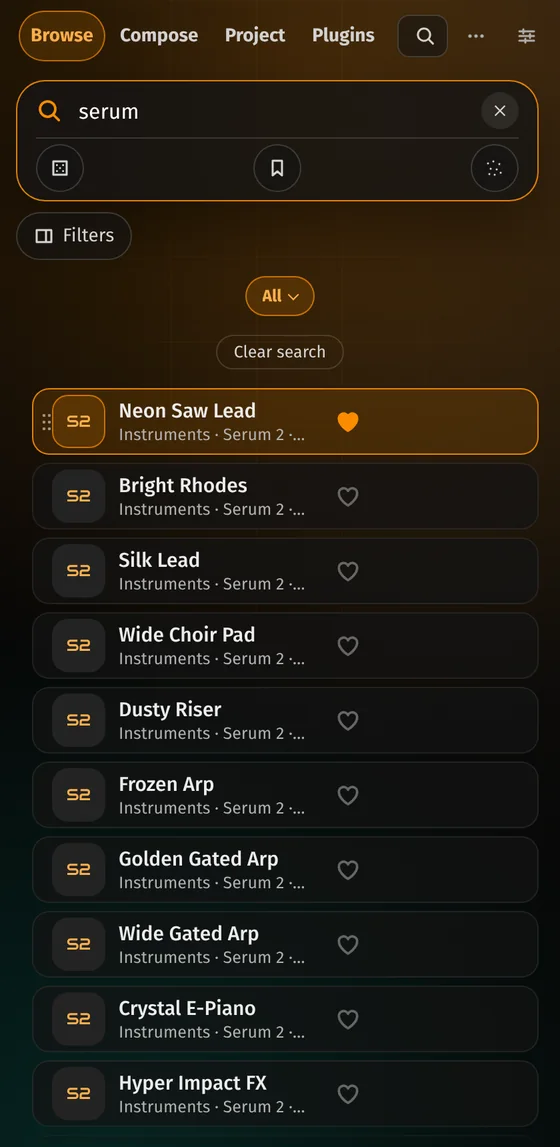
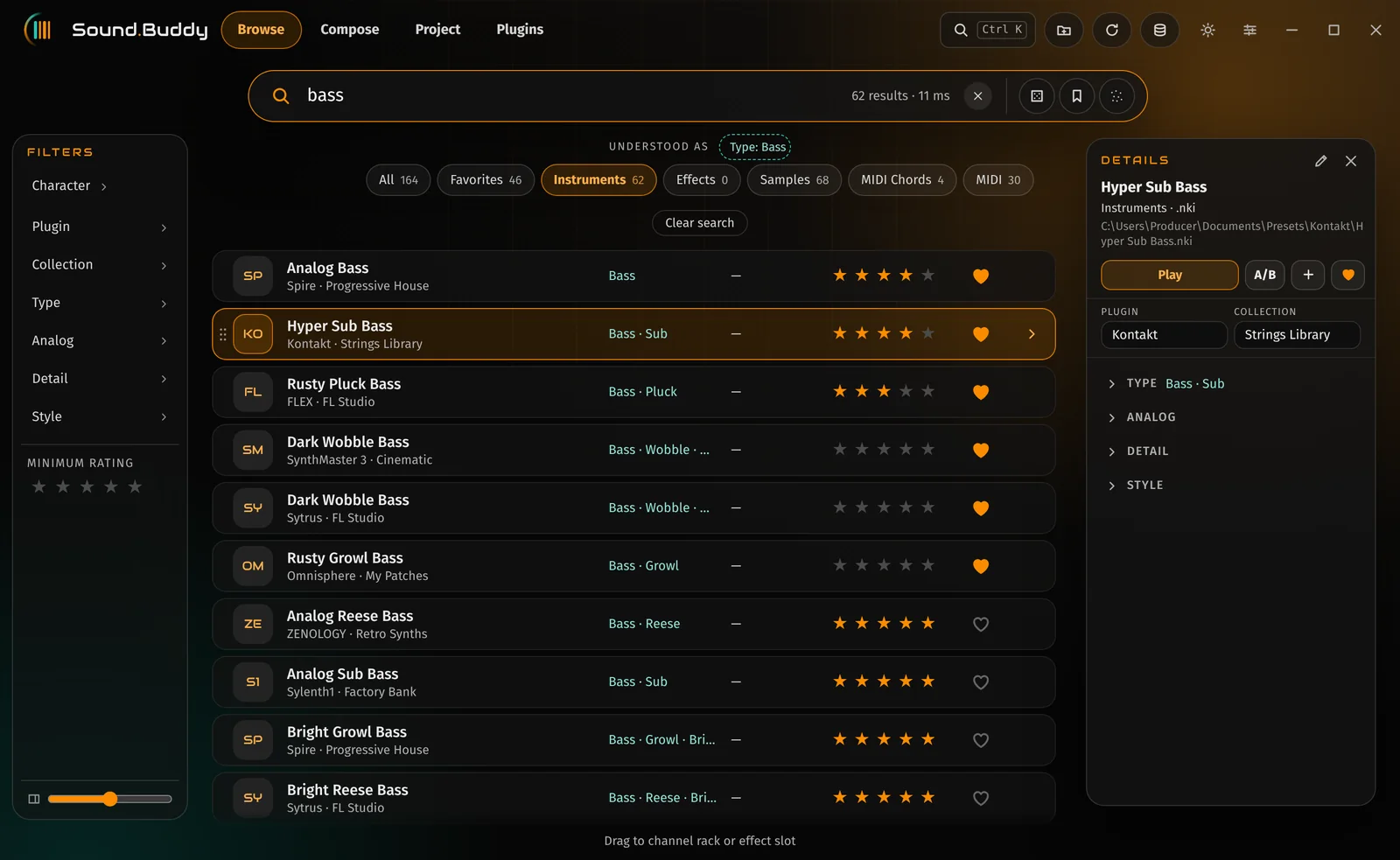
Sound.Buddy puts the presets of all your synths, your samples and your MIDI in one fast list, right inside FL Studio. Click a preset and you hear it in the real plugin. Then write the chords and parts that go with it.
One email when Sound.Buddy is available. Nothing else.


Presets of the plugins you already have
How it works
Load Sound.Buddy on a channel like any other plugin, or open it as its own app next to FL Studio.
Sound.Buddy reads what FL Studio already knows about your plugins and finds your presets, samples and MIDI. You don't have to save a preset first or set anything up.
Click a preset and it plays in the real plugin. Use the arrow keys to walk through a bank. Drag what you like onto the channel rack or the playlist.
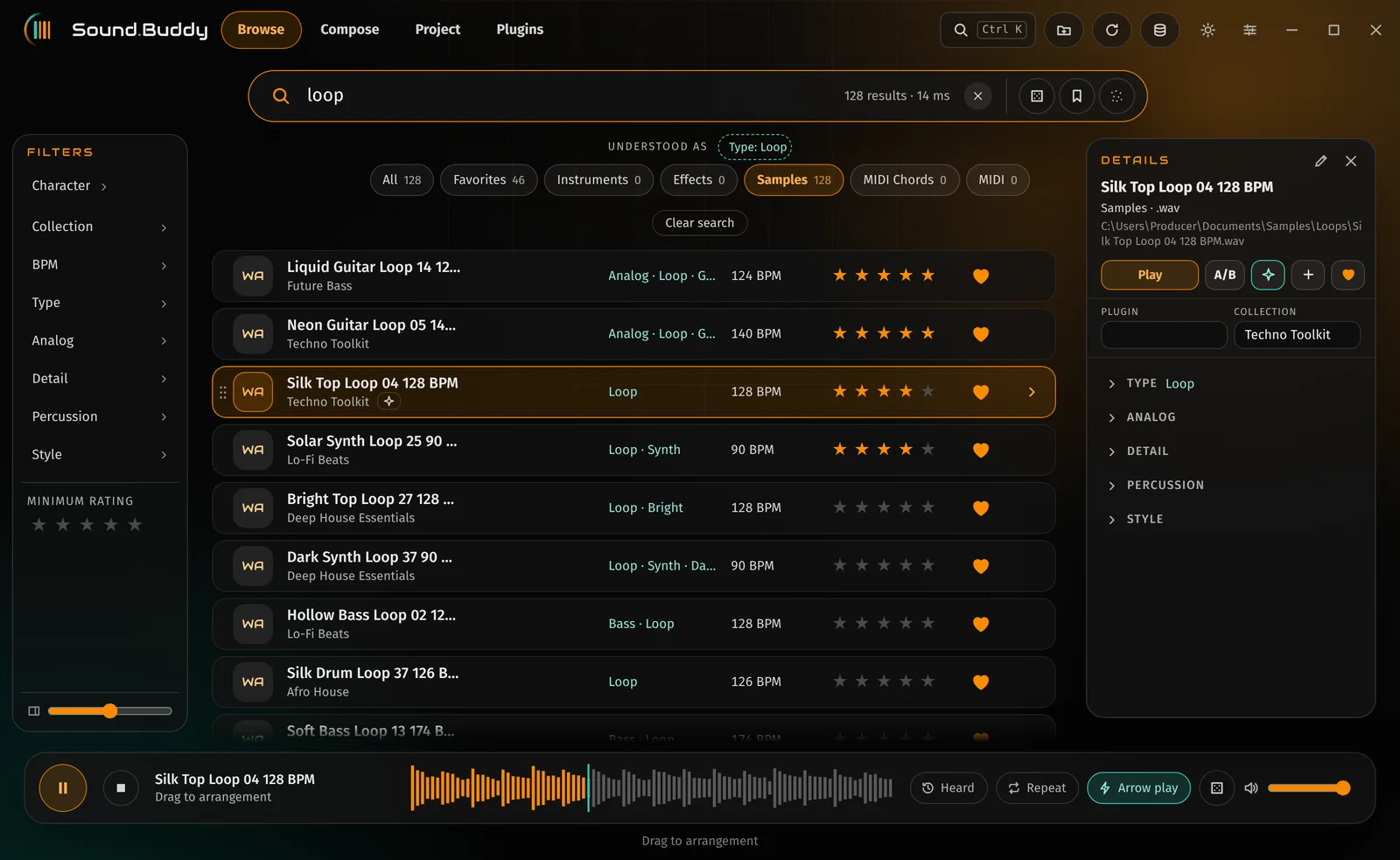
Browse
Instruments, effects, samples, chords and MIDI from every maker, in one search box that answers while you type.

Compose
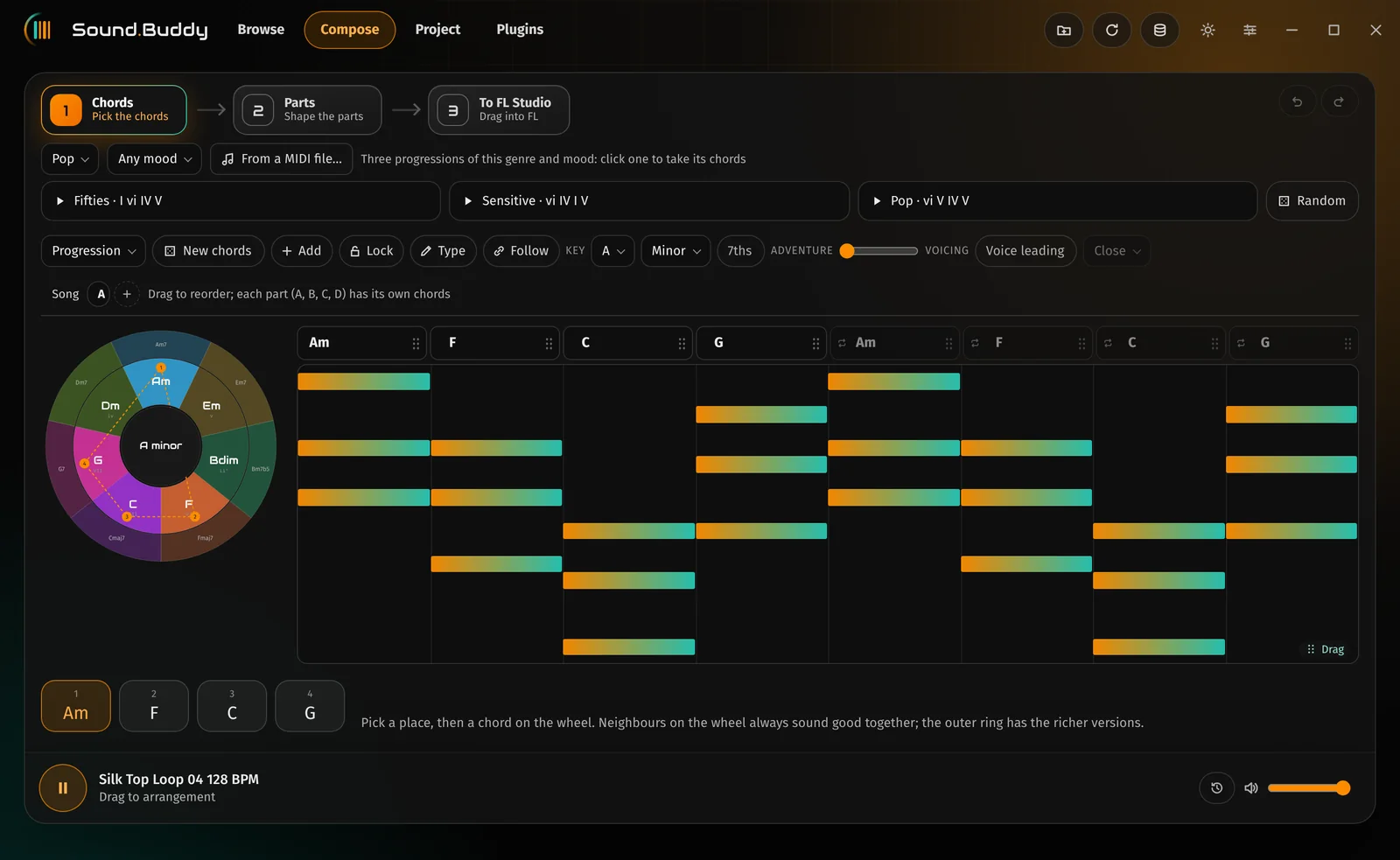
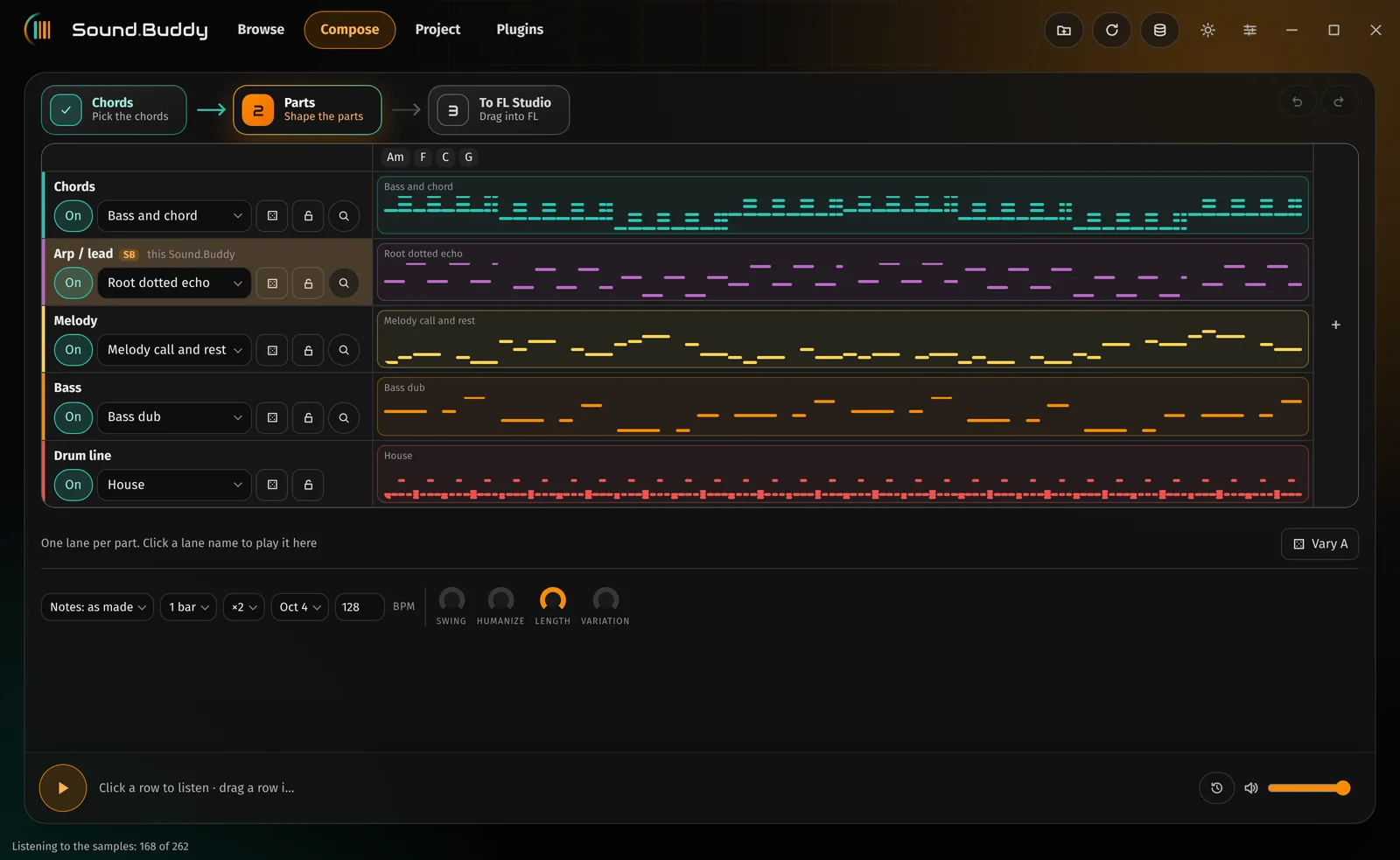
Pick chords on the wheel or from a progression in your genre. Sound.Buddy turns them into chords, an arp, a melody, a bass line and a drum line, played by the sound you just picked, in time with FL Studio.
Neighbours on the wheel always sound good together. Pick a key, a genre and a mood, or take the chords from a MIDI file you already have.
Chords, arp, melody, bass and drum line, each in its own lane. Lock what you like, roll the dice on the rest, add swing and humanize.
The parts start and stop with FL Studio and follow its tempo. Happy with it? Drag the MIDI into your project.
Features
Use Sound.Buddy as a plugin on a channel, as an effect in a mixer slot, or as its own window next to FL Studio.
Every preset at the same loudness while you browse, so the loudest sound doesn't win just for being loud.
Star what works, keep favourites and lists, and save searches with their filters for later.
See what you loaded and heard in the project you're working on, and what is used in your other FL Studio projects.
Stuck? Press Ctrl+R and Sound.Buddy picks a random sound from your search and plays it at once.
Sound.Buddy works with the sounds you already own, on your own PC. No cloud, no account. Used the old SoundBuddy? Bring its library along.
Compare
Sample managers find samples, preset browsers show the presets of one maker. Sound.Buddy brings all of it together, inside FL Studio, and helps you write with it.
| Sound.Buddy | Splice, Loopcloud | XO, Atlas | Komplete Kontrol, Analog Lab | FL Studio browser | |
|---|---|---|---|---|---|
| Presets of all your plugins, from every maker, in one list | ✓ | – | – | ½ | ½ |
| One click plays a preset in the real plugin, inside FL Studio | ✓ | – | – | ½ | ½ |
| Search samples by tags and tempo | ✓ | ✓ | ✓ | ½ | ½ |
| "More like this" for samples | ✓ | ✓ | ✓ | – | ½ |
| Chords and parts that play along with FL Studio | ✓ | – | – | – | ½ |
| Works offline, without an account | ✓ | – | ✓ | – | ✓ |
Based on public product pages and manuals, November 2026. Products change; we did not test the other products ourselves. All names are trademarks of their owners.
FAQ
Sound.Buddy is in its final stretch of testing. Leave your email address and you'll get one message when it is available.
Sound.Buddy is made for FL Studio on Windows. Some parts, like browsing and dragging samples and MIDI, also work with other DAWs. Wider support may follow later.
Not for now. Sound.Buddy runs on Windows.
Sound.Buddy reads the presets of many popular synths and samplers, such as Serum 2, Kontakt, Omnisphere, Massive X, Nexus, Spire, Sylenth1, SynthMaster and ZENOLOGY, and the presets of FL Studio's own plugins. For other plugins it can learn how their presets load.
No. Sound.Buddy organizes the sounds you already have: your plugins, your sample packs and your MIDI.
No. Everything runs on your own PC, and your library stays there.
Yes. Sound.Buddy can import the library of the old SoundBuddy app.
The price will be announced at launch.
Coming soon
Leave your email address and we'll let you know when Sound.Buddy is available.
We only use your address for this one message.